

Let's break down exactly what FAQ schema is. In simple terms, it's a special piece of code you add to your website that tells search engines like Google, "Hey, this content is laid out in a question-and-answer format." Think of it as a translator that helps search engines understand the structure of your FAQ page, making it eligible for those interactive, dropdown-style listings—rich snippets—you see in search results.
Decoding FAQ Schema for Better SEO

Imagine you’ve spent hours creating a fantastic FAQ page. To a human visitor, the bolded questions and the detailed answers below them are perfectly clear. But to a search engine crawler, it's often just a jumble of text. The crawler doesn't automatically know that "What are your shipping times?" is a question and "We ship within 3-5 business days" is its direct answer.
This is exactly the problem FAQ schema solves. It provides a clear, structured blueprint for search engines to follow.
You do this by adding a small snippet of code—specifically, JSON-LD structured data—to your page's backend. This code acts like a set of labels. You're essentially pointing to different parts of your text and telling Google: "This part here is a Question, and the paragraph right after it is the corresponding Answer."
That simple act of labeling transforms your content from a flat wall of text into a highly organized, machine-readable format.
The Power of Clear Communication
A great way to think about it is like adding speaker labels to a conversation transcript. Without them, you just have a long stream of dialogue. With them, you instantly know who said what, making the whole exchange easy to understand. FAQ schema does the exact same thing for your content, but the audience is search engines.
This clarity is the key, and it unlocks several powerful advantages:
- Eligibility for Rich Snippets: Google can take this structured information and create those helpful, dropdown-style answers right on the search results page.
- Increased Visibility: These enhanced listings take up more prime real estate on the results page, making your website stand out and pushing competitors further down.
- Improved User Trust: When you provide answers directly in the search results, you position your brand as a helpful authority before the user even clicks.
To give you a quick overview, here are the core components you'll be working with.
FAQ Schema at a Glance
This table breaks down the main pieces of FAQ schema and why they matter for your SEO efforts.
This clear structure is what gives search engines the confidence to feature your content prominently.
How Does This Translate to Results?
Ultimately, adding FAQ schema isn't just a technical task. It's about driving better performance. When Google understands your page's structure and content, it's far more likely to present it to users in more engaging and helpful ways. The most immediate result is often a higher click-through rate (CTR) because users can see that you have the exact answer they're searching for.
Structuring your data correctly is the foundation, but remember, the quality of your questions and answers is just as crucial. You can learn more about finding and curating the perfect questions for your audience by exploring our guide on building a powerful FAQ section. This is where great content and smart technical SEO come together.
The SEO and User Experience Benefits of FAQ Schema
Adding FAQ schema to your site isn't just a technical box to tick; it's a strategic move with huge payoffs for both your search rankings and your visitor's experience. Think of it like turning a tiny classified ad into a massive, eye-catching billboard on a busy highway. You're not just another listing—you're the main event.
The biggest win for your SEO is a shot at earning rich snippets. These are the interactive, drop-down style Q&A sections you see right there in Google's search results. It’s not just about looking fancy; it’s about physically taking up more space on the search page.
When your content shows up as a rich snippet, it shoves competitors down the page and instantly grabs the searcher's attention. This prime visibility can do wonders for your click-through rate (CTR), showing people you have the answers they're looking for before they even click.
Elevating Your SEO Performance
The secret is out: structured data makes a real difference in search performance. The proof is in how many websites are already using it.
As of 2024, over 45 million web domains are using schema.org markup—that’s about 12.4% of all domains out there. This isn't just a fleeting trend; it shows a fundamental shift away from old-school keyword stuffing toward semantic SEO, where clear, structured information wins the game. You can dig into more schema markup statistics and facts to see just how big this has become.
Beyond just making your links look better, FAQ schema helps search engines truly understand what your page is about. By clearly marking out questions and answers, you give them the context they need. This can help you rank for all sorts of long-tail keywords and even voice search queries, which are almost always phrased as questions.
Key Takeaway: FAQ schema is like a direct hotline to search engines. It spells out your content's purpose and structure, making it an easy choice for Google to feature with a rich snippet.
This clear communication also paints your website as an authority. When Google consistently sees that you provide well-structured, helpful answers, it starts to trust your site more. That credibility is a cornerstone of any solid, long-term SEO strategy.
Improving the User Journey
From a user's point of view, the benefits are just as powerful. FAQ schema delivers on one of the most basic human needs online: getting answers now. People are busy and want solutions fast. Seeing the answer right on the search results page saves them a click and a lot of frustration.
That smooth, helpful experience builds trust from the very first moment they see your brand. You're providing value before they even land on your site, which immediately positions you as a customer-focused company. When they finally do click, they arrive with a positive impression, ready to see what else you have to offer.
The great experience doesn't stop there. Once on your page, a well-organized FAQ section, powered by schema, lets visitors scan and find what they need in seconds. Many businesses have discovered that simply answering customer questions clearly and upfront builds the confidence needed to move forward. As you can see from these customer success stories, answering questions effectively is at the heart of a great user experience.
How to Write and Implement FAQ Schema with JSON-LD
Alright, let's get our hands dirty. Writing FAQ schema might sound like a job for a developer, but it's actually more like filling out a form than writing lines of complex code. We'll be using JSON-LD, which is the format Google prefers. It’s clean, easy to manage, and lives in its own little script, so it won’t mess with your page’s existing code.
Think of JSON-LD as a set of digital labels. You’re essentially creating a list that points to the text on your page and tells search engines, "Hey, this is a question, and this part right here is its answer." It's that straightforward.
This simple act of labeling your content is what unlocks some pretty significant wins for your SEO, user experience, and even click-through rates.
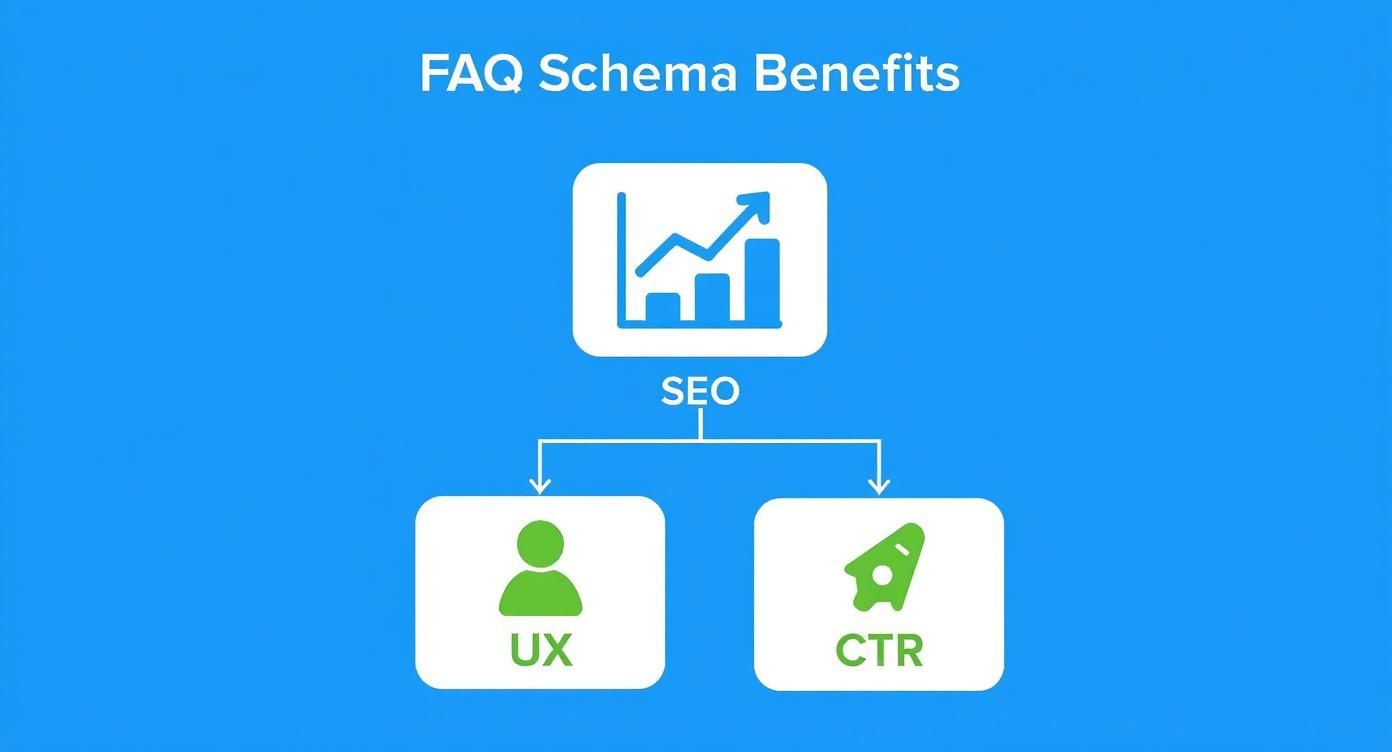
As you can see, that initial SEO boost directly feeds into a better user journey, making people more likely to click. It’s a fantastic little feedback loop.
Decoding the JSON-LD Script
Let's break down the building blocks of a typical FAQ schema script. Once you understand what each piece does, the whole thing feels a lot less intimidating.
At its core, the script has a few main parts that define what it is and what it contains. To make sense of the code, you just need to know these key "properties," which are the building blocks of your JSON-LD script.
Here’s a quick look at the essential properties you’ll be working with.
Essential JSON-LD Properties for FAQ Schema
Understanding these few properties is really 90% of the battle. The rest is just copying and pasting your text into the right spots.
Building Your FAQ Schema, Step-by-Step
So, how do all those properties come together? Think of it like a nesting doll. You start with the big FAQPage container, and inside that, you place a mainEntity list. This list holds all of your individual Question objects.
Each Question object is its own neat little package containing the question (name) and its corresponding Answer object (acceptedAnswer).
Here’s what a single, complete question-and-answer pair looks like in the code.
{"@type": "Question","name": "What are your business hours?","acceptedAnswer": {"@type": "Answer","text": "Our office is open Monday to Friday, from 9:00 AM to 5:00 PM Eastern Time."}}See? It’s just a structured way of presenting information that’s already on your page. To add more FAQs, you just repeat this block for each one.
Crucial Rule: The text you put inside the
name(the question) andtext(the answer) properties must be visible on your webpage. Google is very clear that structured data has to match the user-visible content. No sneaky, hidden text!
Putting It All Together: A Full Example
Most FAQ pages have more than one question, of course. To handle that, you just add more of those "Question" blocks to your mainEntity list, separating each one with a comma. It’s exactly like adding more items to a shopping list.
Below is a complete, copy-and-paste-ready example of an FAQ schema script with two questions. This is the full code you would add to your page.
Where Does This Code Go?
Once you have your shiny new JSON-LD script, the final step is getting it onto your webpage. The best and most common practice is to place the entire <script> block into the <head> section of your page's HTML.
Placing it in the <head> means search engine crawlers find and process it right away. That said, it also works perfectly fine if you place it in the <body> of the page—many plugins and platforms inject it just before the closing </body> tag. The most important thing is simply that it's present somewhere in the page's HTML source code.
Adding FAQ Schema with CMS Plugins and Tools
https://www.youtube.com/embed/X29TuIEaBso
While hand-coding JSON-LD gives you ultimate control, let's be honest—it’s not for everyone. The good news is you don't need to be a developer to add FAQ schema to your site. Most modern Content Management Systems (CMS) like WordPress have made it incredibly easy with plugins and built-in tools.
Think of it like using a pre-made cake mix instead of measuring every ingredient from scratch. You still get a great result, but the process is quicker, simpler, and you're far less likely to make a mistake. For most marketers and business owners, this is the perfect way to get the job done.
These tools do all the heavy lifting for you, generating the necessary JSON-LD script behind the scenes. You just focus on what you do best: writing the questions and answers in a simple, friendly interface. The plugin handles the rest.
Using SEO Plugins for WordPress
If your website runs on WordPress, you're in luck. Adding FAQ schema is a piece of cake thanks to popular SEO plugins. Two of the biggest names, Yoast SEO and Rank Math, include this feature right out of the box.
Both plugins offer a dedicated FAQ block that works with the standard WordPress editor (Gutenberg). When you add this block to a page, it presents you with simple fields to type in your questions and their answers.
As you fill it out, the plugin is quietly writing clean, valid JSON-LD for you and placing it in the page's code where it needs to go. It’s a completely seamless process that requires zero technical skill.
The workflow is usually this simple:
- Edit the page or post where you want the FAQ.
- Click the "+" icon to add a new block.
- Search for "FAQ" and choose the block from your SEO plugin (it'll be named something like "FAQ by Yoast" or "Rank Math FAQ").
- Type your first question into the question field.
- Write the answer in the text box below it.
- Click the "Add Question" button to add more Q&A pairs.
- Save or update your page.
And you're done. The plugin makes sure the schema is formatted correctly, making your content eligible for those eye-catching rich snippets without you ever having to look at a single line of code.
Exploring Dedicated Schema Plugins
All-in-one SEO plugins are fantastic for the basics, but what if you need more power or control over your structured data? That’s where dedicated schema plugins shine. These tools are built from the ground up to manage every type of schema, not just FAQs.
A dedicated plugin might be the right call if you need to:
- Combine multiple schema types on one page (like FAQPage and Product schema).
- Fine-tune specific schema properties that go beyond the basics.
- Manage schema for your entire site from a single, centralized dashboard.
These specialized plugins often provide more advanced options, giving you pinpoint control over where and how your schema is displayed.
Pro Tip: No matter which tool you choose, always double-check your work. Once you've published the page, pop the URL into Google's Rich Results Test. This quick step confirms Google can see your FAQ schema and that it's error-free. It’s the best way to ensure your efforts will actually pay off.
Making the implementation of FAQ schema easier is a huge win, but the quality of your questions and answers is what truly matters. To improve your entire workflow—from discovering what customers are actually asking to keeping your answers current—you can look into AI-powered solutions. For example, you can learn more about how our product automates FAQ management to keep your content fresh and genuinely helpful. Pairing smart implementation tools with smart content creation is the secret to a winning FAQ strategy.
Best Practices and Common Mistakes to Avoid

Putting FAQ schema on your pages can be a game-changer for getting noticed in search results, but it’s definitely not a "set it and forget it" kind of deal. To get all the rewards without risking a penalty from Google, you have to play by the rules. Think of it like a recipe: follow it to the letter, and you get a delicious cake. Start cutting corners, and you'll probably end up with a burnt mess.
Google’s guidelines are there for a reason—to make sure rich snippets actually help searchers, not just become another spot for ads. Sticking to these best practices is your ticket to long-term success with FAQ schema.
Key Guidelines for Effective FAQ Schema
The number one rule is incredibly simple: the content in your schema code must be visible to the user on the page. This is non-negotiable. You can't hide your Q&As in a collapsed accordion or stuff extra keywords into the code that people can't see on the front end. What the search engine sees, the user must see.
Another big one is that every question needs its own specific answer. Don’t try to group several questions under one answer in your schema. Google expects a clean, one-to-one relationship.
Here’s a quick checklist of the must-dos:
- Make It Visible: Every single question and answer you mark up needs to be fully displayed on the page. A visitor shouldn't have to click anything to read the complete answer.
- Keep It Helpful, Not Salesy: Your FAQs should give direct, honest answers. If you start using them for aggressive advertising, you can kiss your rich snippet eligibility goodbye.
- Use It on the Right Pages: Only add FAQ schema to pages that actually have a list of questions and answers. It’s not meant for forums where users submit answers or for a product page that might only have a single question.
Google's Stance: "If you have FAQ content that is repetitive on your site (meaning, the same question and answer appear on multiple pages on your site), mark up the FAQ for only one of those pages."
This is a crucial point. It helps you avoid creating duplicate content problems and ensures each bit of FAQ markup has a unique job to do.
Common Mistakes That Can Get You in Trouble
Just as there are right ways to do things, there are plenty of wrong ways that can get you penalized or simply make your efforts pointless. Most of these mistakes happen when people try to game the system instead of genuinely helping their audience.
The most common slip-up is marking up content that isn't really a question and answer. For example, phrasing a sales pitch as a question ("Why is our product the best on the market?") is a clear violation.
Steer clear of these common blunders:
- Hiding the Content: I know we already covered this, but it’s the most common mistake. Any content inside your schema must be visible. Hiding answers in collapsed sections that need a click to open is a major no-no.
- Using It for Ads: The answer text must directly address the question. Filling it with promotional fluff like "Buy now for 20% off!" is strictly forbidden and will get you flagged.
- Putting It on the Wrong Page: Don't just slap FAQ schema on your homepage hoping to get more visibility if there isn't a real Q&A section there. It’s a surefire way to get ignored or penalized.
- Marking Up User-Generated Content: The answers have to come from you—the site owner. You can’t use schema on user comments or forum posts.
By sticking to these guidelines and dodging these simple mistakes, you can make sure your faq schema works hard for you, giving you the best shot at earning those valuable rich snippets.
How to Test and Monitor Your FAQ Schema
So you’ve got your FAQ schema in place. That’s a huge step, but the work isn’t quite done yet. Now you need to make sure search engines can actually read and understand what you’ve added. Think of it like proofreading an important email before hitting send—this step ensures all your hard work pays off.
The first stop for any schema check is Google’s Rich Results Test. It’s the simplest way to get a quick, clear answer. Just plug in your page’s URL or paste the code snippet directly, and Google will tell you point-blank if your page is eligible for those coveted rich results.
You’ll either get a reassuring green checkmark confirming everything is good to go, or the tool will flag the exact errors and warnings that need your attention.
Using Google Search Console for Long-Term Monitoring
While the Rich Results Test is great for a spot-check, Google Search Console (GSC) is where you’ll live for ongoing monitoring. GSC gives you a specific report just for FAQs under the "Enhancements" section. This is basically a health dashboard for your schema.
The report doesn't just tell you which pages have valid FAQ schema; it also gives you the performance data you care about:
- Impressions: How many times your FAQ rich snippet showed up in search.
- Clicks: How many people actually clicked on it.
Keeping an eye on this data is where you see the real-world impact. It shows you which questions are hitting the mark with your audience and gives you hard numbers to prove that the schema is actually improving your visibility and bringing in more traffic.
Key Insight: If you see a sudden drop in impressions in your FAQ report, that’s your red flag. It could mean Google found an error when it re-crawled your site or that your content has fallen out of line with its guidelines. It’s a signal to investigate right away.
Staying Ahead of Errors
Adding schema isn't a "set it and forget it" task, especially since websites are always changing. This is true for everyone, from tiny startups to massive corporations. It's interesting to see that 40% of businesses using schema have fewer than five employees, while over 13% are large companies. It just goes to show how important this is for everyone.
With over 120 zettabytes of data created every year, structured data is becoming absolutely essential for helping search engines make sense of it all. You can dive deeper into the trends in schema markup adoption to see just how critical it's become.
Making a habit of checking your GSC report for new errors or warnings is the best way to stay on top of things. This simple routine of testing and monitoring ensures your faq schema keeps delivering results, boosting your SEO and giving your users a better experience for the long haul.
A Few Lingering Questions About FAQ Schema
Even with all the technical details sorted, some specific questions about using FAQ schema tend to pop up again and again. Nailing these finer points can be the difference between a great implementation and one that falls flat. Let's tackle the most common ones so you can move forward with confidence.
Most of these questions boil down to the where and when of applying this structured data. Getting the context right is key to using it effectively and staying on the right side of Google's guidelines.
Can I Put FAQ Schema on My Homepage?
I hear this one a lot, and the answer is almost always no, you shouldn't. Google is very direct about this: the Q&A content you mark up must be visible to the user on that same page.
Unless your homepage is literally built around a visible FAQ section—which is pretty rare—adding the schema is a violation. Don't try to get clever by marking up marketing taglines or slogans phrased as questions. That's a fast track to a manual penalty. It’s best to save this markup for pages where Q&As are a natural fit.
Do I Need a Dedicated FAQ Page to Use the Schema?
Nope, not at all. A dedicated FAQ page is the classic example, but it's far from the only place you can use this schema. You can—and should—add it to any page that has a legitimate question-and-answer section.
Think about places like:
- Product Pages: Answering common questions about a product’s features, sizing, or warranty.
- Service Pages: A Q&A section that clarifies pricing, process, or what's included in a service.
- Blog Posts: An article that breaks down a complex topic by answering a series of related questions.
The rule is simple: if the page has a visible list of questions with their answers, you're good to go. If not, don't use the schema.
The rule of thumb is simple: if the page has a visible list of questions with answers, you can use FAQ schema. If it doesn't, you can't.
Does Adding FAQ Schema Guarantee a Rich Snippet?
This is probably the most crucial question for setting realistic expectations. The short answer is no, it does not guarantee a rich snippet. What it does is make your page eligible to be shown with one.
Think of it like buying a ticket to a raffle. You're officially in the drawing, but there's no guarantee your number will be called. Google's algorithm has the final say, and it considers a whole host of factors.
These signals can include:
- The searcher's specific query and what they're trying to accomplish.
- The device they're using (mobile vs. desktop) and their location.
- The overall quality and authority of your page.
- How many other pages are competing for that snippet with their own FAQ schema.
Your goal is to write genuinely helpful answers and make sure your schema is technically perfect. That gives you the best possible shot at earning that rich snippet, but ultimately, the decision is up to Google.
Stop chasing down customer questions manually. Faqir uses AI to find the real questions your customers ask in support tickets, emails, and calls, then turns them into clear, SEO-friendly FAQs for your website. See how Faqir can automate your FAQ workflow today!