
A killer Shopify FAQ page does more than just list a few questions and answers. Think of it as your best salesperson, working 24/7 to build trust, overcome objections, and guide customers straight to checkout. By getting ahead of common questions about shipping, returns, or product specs, you smooth out the buying journey, boost shopper confidence, and slash the number of repetitive support tickets clogging up your inbox.
Why Your Shopify Store Needs a Strategic FAQ Page

Let's be real—most online stores treat their FAQ page as an afterthought. It often becomes a neglected, dusty corner of the site filled with generic answers that don't help anyone. For a Shopify store, that’s a huge missed opportunity. A well-thought-out FAQ page is one of the most powerful conversion and support tools you have.
It’s your most efficient employee. It works tirelessly to help hesitant shoppers, handle common objections before they become deal-breakers, and provide instant peace of mind. This proactive approach doesn't just answer questions; it builds the trust that’s essential for any e-commerce brand to succeed.
From Overwhelmed to Optimized
Picture a growing Shopify store that sells custom-printed apparel. As orders take off, the owner is drowning in emails. Every single day, their inbox is flooded with the same questions: “How long does shipping take?” “Can I return a custom item?” “What are the washing instructions?” All the time spent answering these questions is time not spent on marketing, developing new products, or actually growing the business.
By creating a strategic FAQ page, the owner can put all these common concerns in one easy-to-find place. Instead of typing out the same shipping policy details a dozen times a day, they can focus on scaling their operations. That’s the real power of a great FAQ page.
A solid FAQ page is your first step toward customer self-service and a great way to automate customer service for the most common issues. It's a direct path to a better customer experience without adding to your workload. The benefits are crystal clear:
- Builds Trust and Authority: Answering questions transparently shows you know your stuff and have nothing to hide.
- Improves User Experience: Shoppers get instant answers without waiting for a reply, which keeps them on your site and moving forward.
- Boosts Conversions: When you resolve doubts right when they pop up, you can dramatically improve website conversion rates.
The relief for your support team is immediate and immense. When customers can find answers themselves, your team is free to tackle the more complex, high-touch issues that truly need their attention.
The savings can be substantial, too. A Shopify merchant who was handling 150 support tickets a month could easily see that number drop to just 50 after launching a comprehensive FAQ page. Assuming an average support ticket costs around $3.34, that’s a savings of roughly $334 every single month.
This isn't just another page on your website; it's a strategic asset for growth. You can learn more about how to create a valuable FAQ page on Shopify.com.
Finding the Questions Your Customers Actually Ask
A great FAQ page has one job: to answer the questions your customers are really asking. It's not about what you think they want to know. Guessing leads to a page that collects dust. The real gold is already in your possession, scattered across all the places you talk to your customers every day.
Think of yourself as a detective. Your customer support inbox is the first place you should start looking for clues. Whether you're using a simple Gmail account or a dedicated platform like Gorgias, patterns will emerge. If you've explained your international return policy three times this week, that's a bright, flashing sign that the answer needs a permanent home on your FAQ page.
Dig into Your Existing Data
I always recommend starting with a simple spreadsheet. As you comb through your support history, just copy and paste every unique question that comes up. Don't worry about making it sound perfect yet—the goal is just to capture the raw, unfiltered voice of your customer.
Once you’ve mined your emails, expand your search.
- Live Chat Transcripts: This is where you’ll find unfiltered, in-the-moment questions. A shopper typing “Do you ship to Canada?” is giving you a perfect, ready-to-use FAQ entry.
- Social Media Comments & DMs: Your Instagram, Facebook, and TikTok comments are full of pre-purchase questions. Look for common queries about product materials, restock dates, or sizing advice.
- Product Reviews: Don't just skim your reviews for star ratings. A comment like, “I wish I’d known it wasn’t machine washable,” is a huge clue. It tells you a critical piece of information is missing, and it’s a perfect candidate for an FAQ.
This kind of feedback is invaluable. If you want to get more formal with your approach, digging into some essential user research methods can give you a solid framework for this discovery process.
Look Beyond Your Own Inbox
After you’ve squeezed every last question from your own data, it's time to look outward. This helps you catch the questions from people who never bothered to contact you—they just left your site instead.
Start by doing a little competitor recon. Check out their FAQ pages, sure, but more importantly, read their customer reviews and social media comments. What are people constantly asking them? Answering a question your competitor ignores can be a surprisingly effective way to win over a new customer.
Another powerful, and often overlooked, tool is your Google Search Console. It literally shows you what people typed into Google to find you. You might see queries like "your brand + shipping time" or "your brand + warranty." These are questions your customers are asking before they even land on your site. Put them on your FAQ page.
Pro Tip: Don't just create a giant, intimidating list of questions. Group them into logical categories like "Shipping & Delivery," "Returns & Exchanges," and "Product Details." This simple organization makes the page instantly more usable and helps people find their answers fast.
From Raw Notes to Polished Questions
Now you have a messy list of customer queries. The final step is to clean them up. Rephrase each raw query into a clear, straightforward question.
For instance, a real customer email might say: “Hi, I got my order #1234 but the shirt is too small, how can I send it back and get a bigger one?”
Your polished FAQ question becomes: “How do I exchange an item for a different size?”
See the difference? You’re turning a specific customer's problem into a universal solution. When your FAQ page is built on this foundation of real data, it stops being a simple Q&A list and becomes a strategic asset that builds trust, reduces support tickets, and helps you make more sales.
How to Build Your FAQ Page in Shopify
Alright, you've done the hard work and figured out what your customers are really asking. Now, let's get that FAQ page built on your Shopify store.
There isn't just one "right" way to do this. The best approach really boils down to your comfort level with Shopify, your budget, and how much creative control you want. I'll walk you through the three main options, from the quick-and-dirty method to more polished, custom solutions.
Shopify FAQ Page Creation Methods Compared
Choosing the right path from the start saves a ton of headaches later. This table breaks down the three main ways you can build your FAQ page, giving you a quick snapshot of what to expect from each.
Each of these methods can get the job done, but they're tailored for different needs. Think about not just what's easiest today, but also what will be easiest for you to manage a year from now.
The Quick and Simple Way: The Standard Page Editor
The most straightforward way to create an FAQ page is using Shopify's built-in page editor. If you've ever created an "About Us" or "Contact Us" page, you already know exactly what to do.
Just head to Online Store > Pages in your admin, hit "Add page," and start typing. You can make your questions bold headings and pop the answers right underneath. It's fast, completely free, and you don't need to know a lick of code.
But here’s the catch: its simplicity is also its weakness. If you have more than a few questions, you’ll end up with a giant wall of text that’s a nightmare to read. This method is fine for 5-10 questions, but for anything more, your customers will get frustrated trying to find their answer.
The Built-In Pro Option: Using Your Theme and Metafields
For a much cleaner look without paying for an app, your theme might already have you covered. Many modern Shopify themes, especially those in the official theme store, include a built-in "FAQ" or "Collapsible Content" section. This gives you that slick, professional accordion layout where users can click a question to reveal the answer.
Here’s how to check if you have it:
- Go to your theme customizer (Online Store > Themes > Customize).
- On a page, try to add a new section.
- Look for anything named "FAQ," "Accordion," "Collapsible content," or "Collapsible tabs."
If you find one, you're in luck! You can add your Q&As right there.
No built-in section? No problem. You can get the same custom result using metafields. It sounds a bit technical, but it’s just Shopify’s way of letting you add specific types of content to a page. You'd create a metafield for the "question" and another for the "answer," then tell your theme how to display them. This gives you total design freedom and keeps your site fast by avoiding extra app code.
My Two Cents: Think about who will be updating the FAQs down the road. A theme-based or app solution is usually much easier for your team to manage than a custom-coded metafield setup.
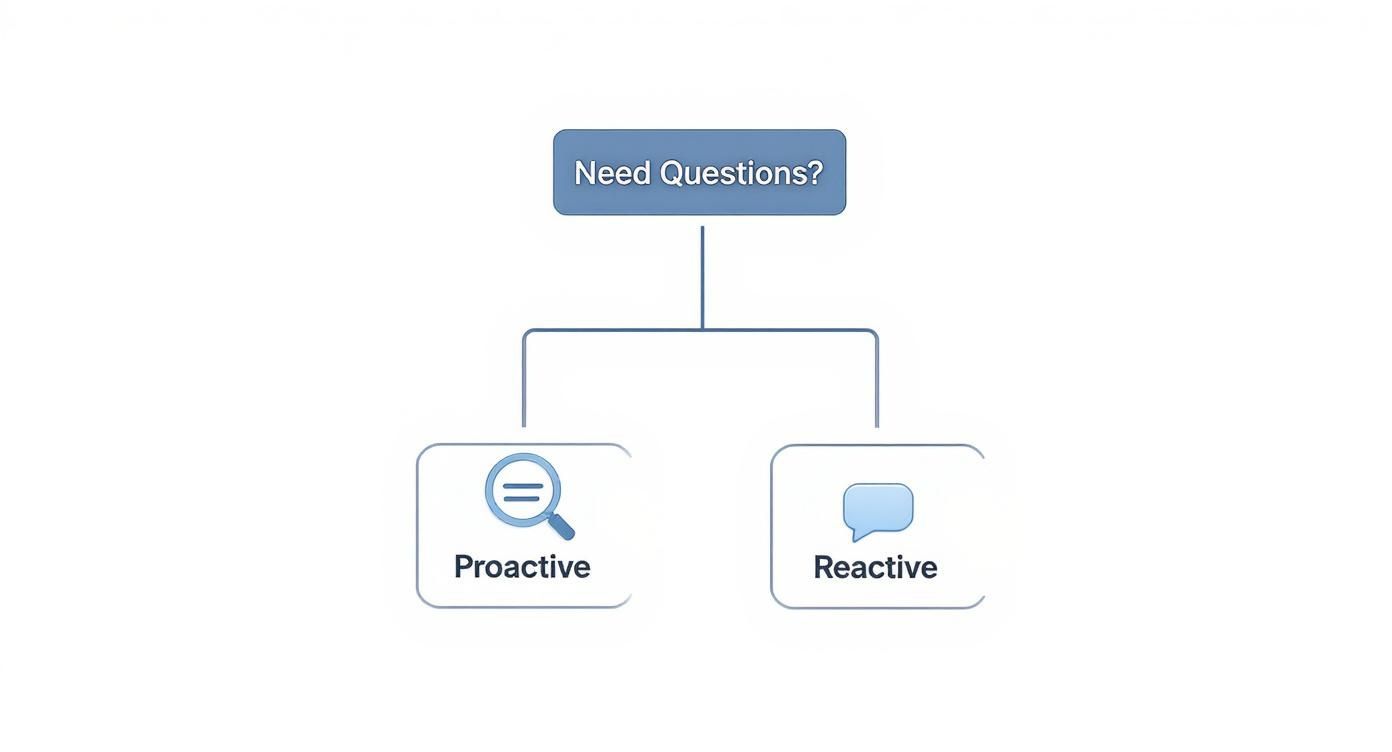
Your questions will generally fall into two buckets: proactive questions that anticipate customer needs and reactive questions that solve existing problems.
The Feature-Packed Route: Dedicated Shopify FAQ Apps
If your theme is a bit basic and you're not keen on diving into metafields, a dedicated app from the Shopify App Store is your best friend. These tools are built specifically for creating great-looking, functional FAQ pages with zero fuss.
Why go with an app?
- Super Easy to Use: Most have a simple interface for adding questions and answers—no coding required.
- Packed with Features: Many come with search bars, analytics to track popular questions, and automatic schema markup to help your SEO.
- Brand Matching: You can almost always customize the colors, fonts, and layout to blend seamlessly with your store's design.
Apps like POWR or HelpCenter often have free plans to get you started. The trade-off is a potential monthly fee for more advanced features and another app's code running on your site, which can sometimes slow things down a tiny bit.
If you want a complete A-to-Z walkthrough, from finding the right questions to publishing the final page, we've covered it all in our guide on how to create an effective FAQ page.
Turn Your FAQ Page into an SEO Goldmine
Think of your FAQ page as more than just a customer service checklist. It's a powerful tool for snagging organic traffic—often from people who haven't even discovered your store yet. When you get the SEO right, you start answering questions directly on Google's search results page, pulling in curious, high-intent shoppers.
This isn't about just stuffing a few keywords into your answers. It's about structuring your content so search engines can easily understand and feature it. The goal is to make your faq page shopify a genuine entry point for new customers.
Mastering the On-Page SEO Essentials
Let's start with the fundamentals. The good news is that your customer questions are already packed with the exact words and phrases people use when they search online. This gives you a massive head start.
For example, imagine you sell handmade leather wallets. A customer might ask, "How long will my wallet last?" You can frame this on your page as, "What is the durability of your handmade leather wallets?" This simple tweak targets a valuable long-tail keyword while still answering the core question perfectly.
Here are a few other quick wins:
- Use Clean URLs: Something like
yourstore.com/pages/faqis clear and search-engine-friendly. Avoid messy, auto-generated URLs. - Nail Your Title and Meta Description: Your page title should be straightforward, like "FAQ - Your Brand Name | Shipping & Returns."
- Link to Your Products: When an answer mentions a specific product, collection, or material, link directly to it. This is huge for both users and search engine crawlers.
Your FAQ page should be a central hub. By linking from answers to product pages, blog posts, and shipping policies, you create a powerful internal linking network that spreads SEO value across your entire website.
This strategy does more than just boost your rankings; it drives sales. Clear, accessible answers reduce shopper anxiety and guide them toward the checkout. While the average Shopify conversion rate hovers around 1.4%, a great FAQ page can push that number higher by resolving last-minute hesitations. Find out more about the impact of customer communication on Shopify conversions.
The Power of FAQPage Schema Markup
This is where you can really pull ahead of the competition. FAQPage schema is a snippet of code you add to your page that basically tells Google, "Hey, this content right here is a list of questions and answers." It's like handing the search engine a perfectly organized blueprint of your page.
So, why bother? Because Google often uses this information to create rich snippets—those interactive dropdowns you see directly in the search results. These stand out, take up more screen space, and can dramatically increase your click-through rate by providing immediate answers.
Implementing schema sounds technical, but it’s surprisingly straightforward.
- Generate the Code: Use a free tool like an online FAQ schema generator. Just copy and paste your Q&As, and it spits out the JSON-LD code for you.
- Add it to Shopify: You can paste this code into your theme's files. If that makes you nervous, many dedicated FAQ and SEO apps in the Shopify App Store will handle this for you automatically.
Taking this one step can make a massive difference in how visible you are for all sorts of informational searches related to what you sell. To get into the nitty-gritty, check out our complete guide to understanding and implementing FAQ schema.
Driving Conversions Directly from Your Answers
An FAQ page should never be a dead end. Every single answer is a chance to guide a customer toward making a purchase or taking another step.
Get inside the user's head for a moment. What's the intent behind their question?
- Asking about your return policy? End the answer with a link to your best-sellers to show you stand behind your products.
- Curious about material sourcing? Link to your "About Us" page to build brand trust and tell your story.
- Wondering how to use a product? Embed a short tutorial video and include a direct link to buy it right below.
By strategically placing these calls-to-action (CTAs) within your answers, you transform your FAQ from a simple support page into an active sales assistant. It starts working just as hard to convert visitors as it does to inform them.
Where Should You Put Your FAQ Page?
You've done the hard work of creating a genuinely helpful FAQ page. But what good is it if your customers can't find it? A brilliant FAQ page buried in some forgotten corner of your store is just as useless as having no page at all. The key is strategic placement—turning it from a passive document into an active tool that guides shoppers and prevents frustration.

The most successful Shopify stores make their FAQs impossible to miss. They place links in high-traffic, intuitive locations where customers naturally look when they have a question. Your goal is to make finding answers feel completely effortless.
High-Impact Placement Ideas
Don't just toss a link in your footer and call it a day. To really get the most out of your FAQ, you need to think about the entire customer journey and place links where they'll be most relevant.
Here are the prime locations I always recommend:
- Main Navigation or Header: Putting a link to your "Help" or "FAQ" page right in the main navigation sends a powerful signal. It immediately tells visitors you care about support and transparency, which helps build trust the second they land on your site.
- Website Footer: This is the classic spot, and it's still absolutely essential. Shoppers are hardwired to scroll to the footer for links to core pages like "Contact Us," "Shipping Policy," and "FAQs." It’s non-negotiable.
- On Product Pages: This is a total game-changer, especially for complex or unique items. You can add a small, accordion-style FAQ section directly on the product page to answer common questions about sizing, materials, or assembly. This proactive approach tackles purchase objections right at the point of decision.
Your faq page shopify isn’t just for post-purchase support; it’s a pre-purchase sales tool. Answering a key question on the product page can be the final nudge a hesitant shopper needs to click "Add to Cart."
Your FAQ Is a Living Document, Not a Static Page
Here’s the thing: creating your FAQ page is just the beginning. Its real value comes from treating it as a living, breathing resource that evolves with your business and your customers' needs. An outdated FAQ with incorrect shipping times or old return policies does more harm than good—it actively erodes trust.
This is even more critical when you consider the sheer scale of modern e-commerce. As of 2024, Shopify powers stores serving over 700 million customers worldwide. That's roughly one in every six internet users. With such a massive and diverse audience, keeping your support information current is essential for managing expectations and maintaining a great brand reputation. You can dig into more insights on Shopify's vast customer base to see why this matters.
A Simple Maintenance Plan
Keeping your content fresh doesn't have to be a huge time sink. All you need is a simple, consistent review process.
- Schedule Quarterly Reviews: Just set a calendar reminder every three months to read through every single question and answer. Check for accuracy on anything related to pricing, policies, and product details.
- Monitor Your Analytics: Dive into your FAQ app's analytics (or Google Analytics) to see which questions get the most views. If a top question is about a specific product, it might be a hint that you need clearer info on that product's page.
- Sync with Your Support Team: Make it a habit to check in with whoever handles your customer service. Ask them, "What new questions have been popping up lately?" This is hands-down the best way to find fresh, relevant content for your FAQ.
By following this simple plan, you ensure your FAQ page remains a valuable, accurate, and trustworthy asset for your store, one that's always working to improve the customer experience.
Still Have Questions? Let's Clear Things Up
Even after walking through the process, a few key questions always seem to come up when store owners start building their FAQ page. Let's tackle those common head-scratchers so you can finish your project with total confidence.
How Many Questions Should I Actually Put on My FAQ Page?
There’s no magic number, but the guiding principle is always quality over quantity. It's tempting to list every question you can think of, but that just creates noise and overwhelms your visitors. A bloated, unfocused FAQ page is just as unhelpful as having no page at all.
I always advise starting with your top 10-15 most critical questions. These are the big ones—the real purchase blockers related to shipping times, return policies, product materials, and payment security. A shorter, more potent page that solves real problems is always better. You can—and should—add more questions later as you spot new trends in your customer support tickets.
As your page grows, staying organized is everything. Grouping questions into clear categories like 'Orders & Shipping' or 'Product Care' is the best way to keep the page scannable and genuinely helpful, no matter how many questions you add down the line.
Should I Use an App or Just Build It Into My Theme?
This is the classic fork in the road, and honestly, the right answer boils down to your store's needs, your comfort with Shopify's backend, and your budget. One isn't automatically better than the other; they just solve the problem in different ways.
Go with a dedicated app if: You want advanced features right out of the box, like a search bar, analytics, or automatic schema markup. Apps are incredibly fast to set up and make it easy for non-technical team members to add or edit questions. The trade-off? Usually a recurring monthly fee.
Build it into your theme if: You want complete control over the design, you'd rather avoid another monthly subscription, and you're keeping a close eye on site speed. Many modern themes come with built-in accordion or collapsible content sections that work perfectly for FAQs and keep your site lean.
If you need powerful functionality now and are happy to pay for the convenience, an app is a fantastic choice. For a more custom, budget-friendly solution, using your theme’s built-in features is the way to go.
How Do I Add the FAQ Schema to My Shopify Page?
Adding FAQ schema is how you get those valuable, eye-catching rich snippets in Google's search results. It sounds technical, but you've got a couple of straightforward options.
The hands-on method involves pasting a small snippet of JSON-LD code into your page's theme file. You don't have to write it yourself—you can use a free online schema generator to create the code. From there, you just navigate to your theme's code editor in the Shopify admin and carefully paste it into the correct page template.
If that sounds a bit too much like coding, no problem. Many dedicated FAQ apps and general SEO tools on the Shopify App Store handle this for you automatically. They generate and inject the correct code behind the scenes, so you never have to touch a single line of your theme's code.
Ready to stop guessing what your customers are asking? Faqir is an AI assistant that builds and updates your website FAQ for you. It analyzes your real customer conversations from calls, chats, and emails and turns them into clear, searchable answers that help shoppers decide faster.